



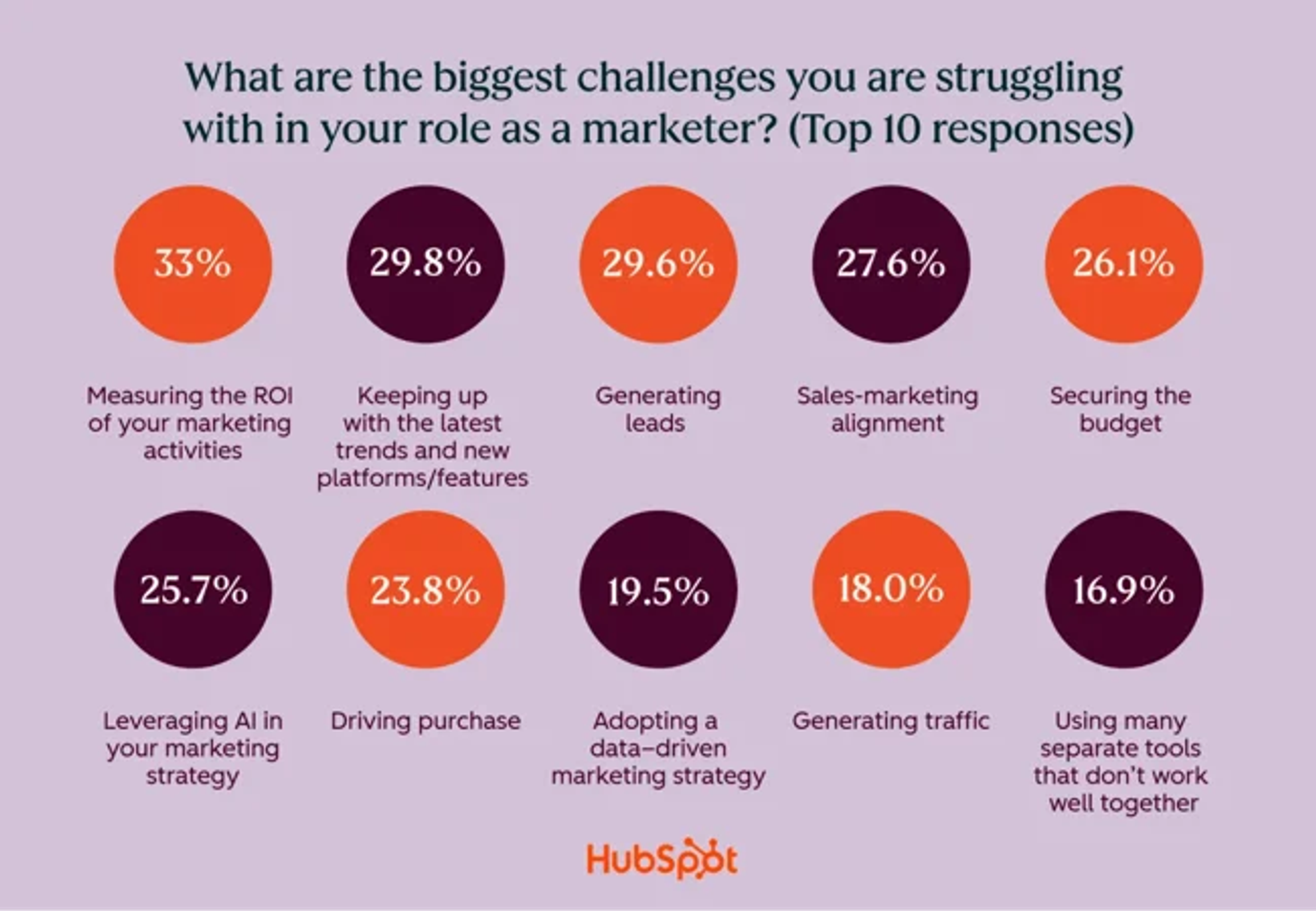
Tool overload holds campaigns back: 16.9% of marketing leaders say juggling too many disconnected platforms slows their work, according to HubSpot's 2026 State of Marketing Report.
We checked out five tools built to fix that, evaluating them through a purpose-led lens: nonprofit pricing, cause-marketing scheduling, real budget fit. Here's what's worth paying for.
Best social media management tools at a glance
- Buffer, best for small teams and simplicity. From $5/channel/month. Standout: the cleanest queue on the market.
- RecurPost, best for agencies watching the cost per client. From $9/month, agency features from $79/month. Standout: billed per account, not per seat.
- Hootsuite, best for fully-featured, all-in-one management. From $99/month. Standout: inbox and listening in one place.
- Sprout Social, best for analytics and reporting depth. From $79/seat/month. Standout: reports built for stakeholders.
- Zoho Social, best for budget-conscious small teams. From $15/month, free plan available. Standout: native Zoho CRM integration.
- SOCi, best for multi-location brands. Custom pricing only. Standout: manages hundreds of local pages at once.
- HeyOrca, best for client approvals and team collaboration. Custom pricing. Standout: unlimited users on every paid plan.
- Emplifi, best for enterprise brands joining social, commerce and care. Custom pricing. Standout: a 2026 Gartner Magic Quadrant Leader.
- Sked Social, best for multi-brand approval workflows. Custom pricing. Standout: approval chains across unlimited accounts.
- Dash Social, best for brand-specific insight and predictive analytics. From $999/month. Standout: predictive AI on every plan's unlimited users.
- Nuelink, best for content-led teams. From $18/month. Standout: auto-posts from your blog, store or podcast.
- Pallyy, best for one visual calendar across every channel. From $15/month, 50% charity discount. Standout: ten networks in one calendar.
- Socialbee, best for managing multiple social media accounts. From $29/month for standard plans. Agency plan starts at $179/month. Standout: category-based content queues and evergreen content recycling.
How we picked the best social media management tools
I checked pricing and features on each vendor's site, then scored every tool against the same four criteria:
- Scheduling and queue management across the major networks
- Reporting depth, the kind you'd actually show a client or trustee
- Pricing transparency, including nonprofit and charity tiers where they exist
- Team and approval workflows for agencies and multi-brand accounts
None of this rescues weak content. Whether it's emotional advertising that actually lands, or the kind of shareable content that carries a campaign further than any queue will, the tool matters less than what you're queuing through it.
The best social media management tools
Hootsuite and Sprout Social compete on sheer breadth. Buffer and Zoho Social compete on simplicity or price. SOCi solves a different problem entirely: managing multi-location and franchise brands at genuine scale.
Which one fits depends more on the shape of your team than on the tool.
Buffer - Best for: Small teams and simplicity
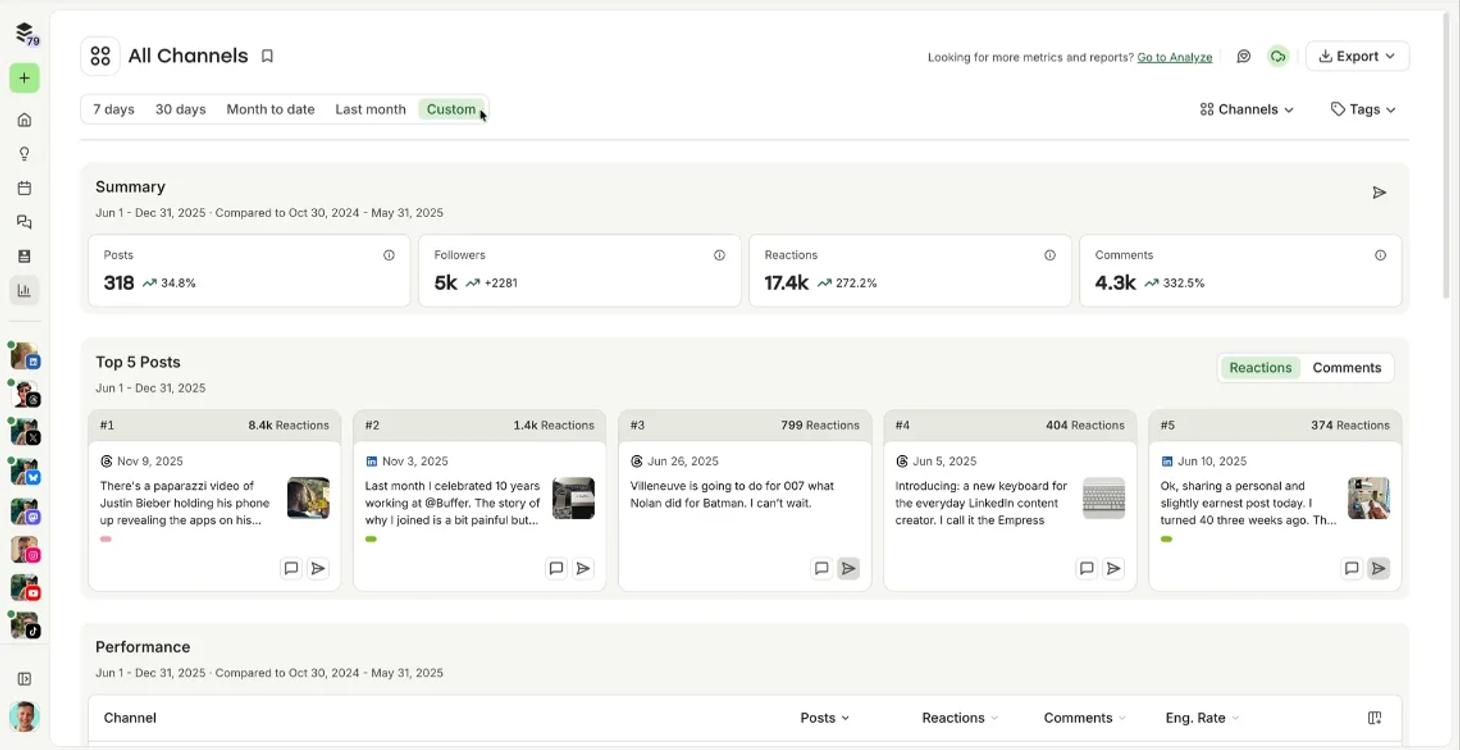
Buffer's queue is the simplest of the five: set your times once and posts go out without you touching it again. Its pricing page confirms a 50% nonprofit discount too.
Best features
- Cleanest scheduling calendar of the five
- AI caption assistant across every channel
- Nonprofit discount of 50% on every paid plan
Best for
Small in-house teams and charities who want scheduling to disappear into the background.
Not ideal for
Teams needing deep analytics or listening. Buffer's reporting stays basic even on the Team plan.
RecurPost - Best for: Agencies watching the cost per client
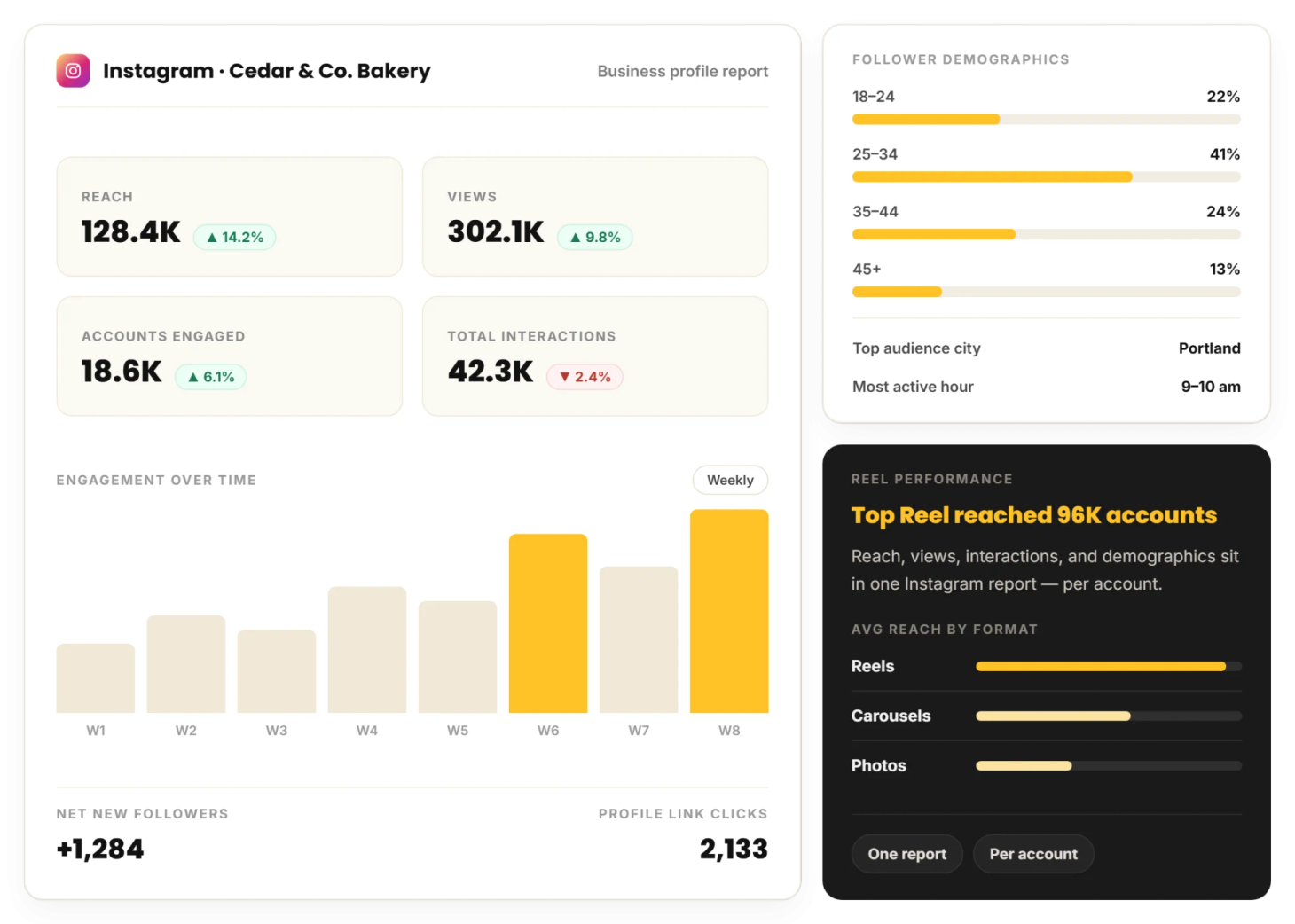
RecurPost is priced for agencies that add clients faster than they add headcount. Paid plans open at $9 a month, but the parts an agency actually needs, shared workspaces, approval workflows and white-label reports, live on the $79 Agency tier, which covers 20 social accounts on RecurPost's pricing page.
The billing is the real draw: you pay per social account, not per seat, so growing the team doesn't grow the invoice.
Best features
- Client approvals through a shareable link, with no login for the client
- White-label reports on the Agency tier
- Billed per social account rather than per seat
Best for
Agencies and small teams billing multiple client brands who want approvals and branded reporting without Sprout or Hootsuite pricing.
Not ideal for
Teams that need built-in social listening. RecurPost's inbox handles replies and assignments, not brand monitoring at Hootsuite or Sprout depth.
Hootsuite - Best for: Fully-featured, all-in-one management
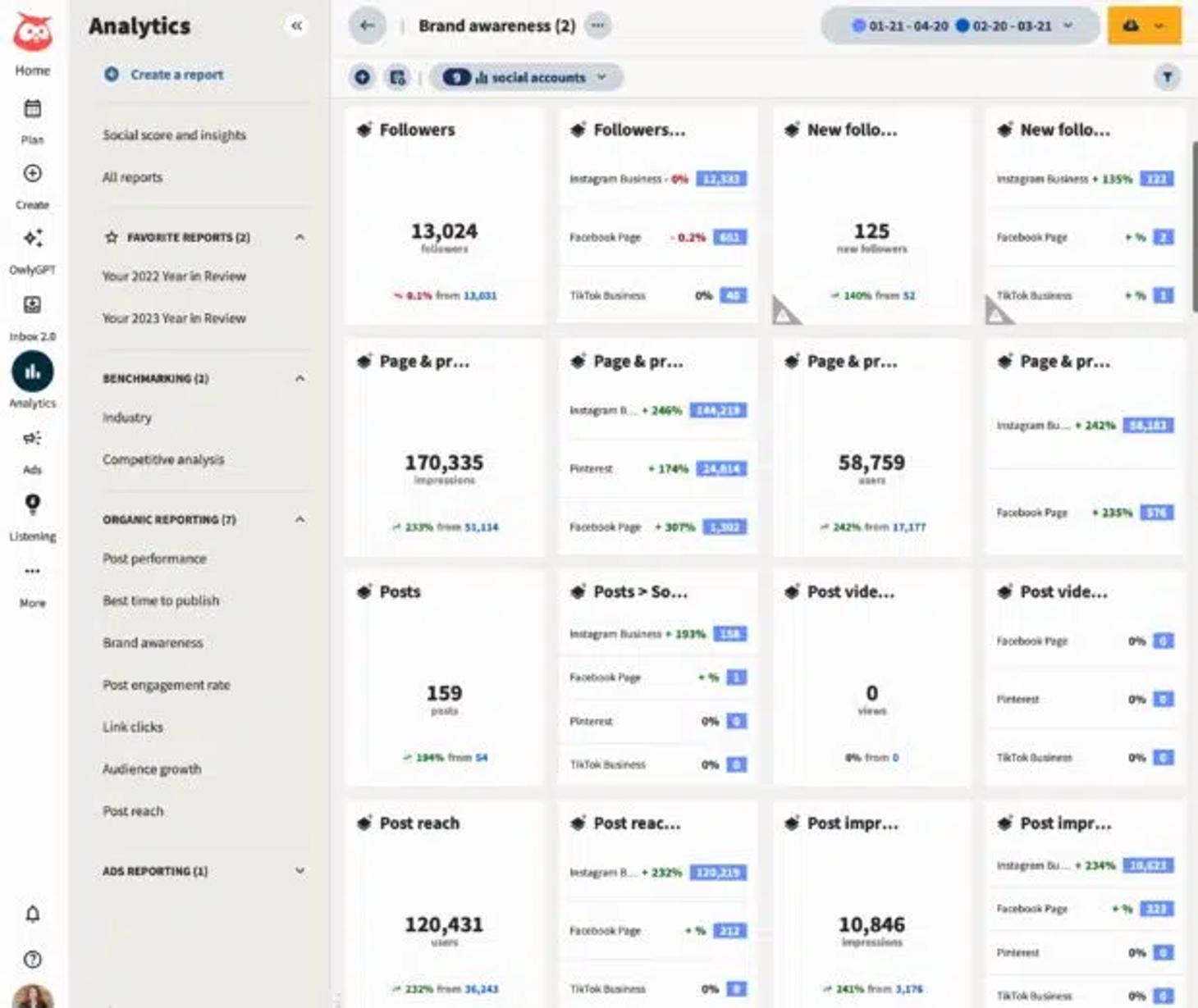
Hootsuite does more than any tool here: scheduling, listening, and a unified inbox in one dashboard. That breadth comes at a price and can overwhelm new users.
Best features
- Unified inbox across every connected network
- Built-in social listening and sentiment tracking
- Broadest platform coverage of the five
Best for
Teams who've outgrown a simple scheduler and need listening and inbox management in one login.
Not ideal for
Solo marketers or tight budgets. Hootsuite dropped its free plan, and paid tiers start at $99 a month per Hootsuite's plans page.
Sprout Social - Best for: Analytics and reporting depth
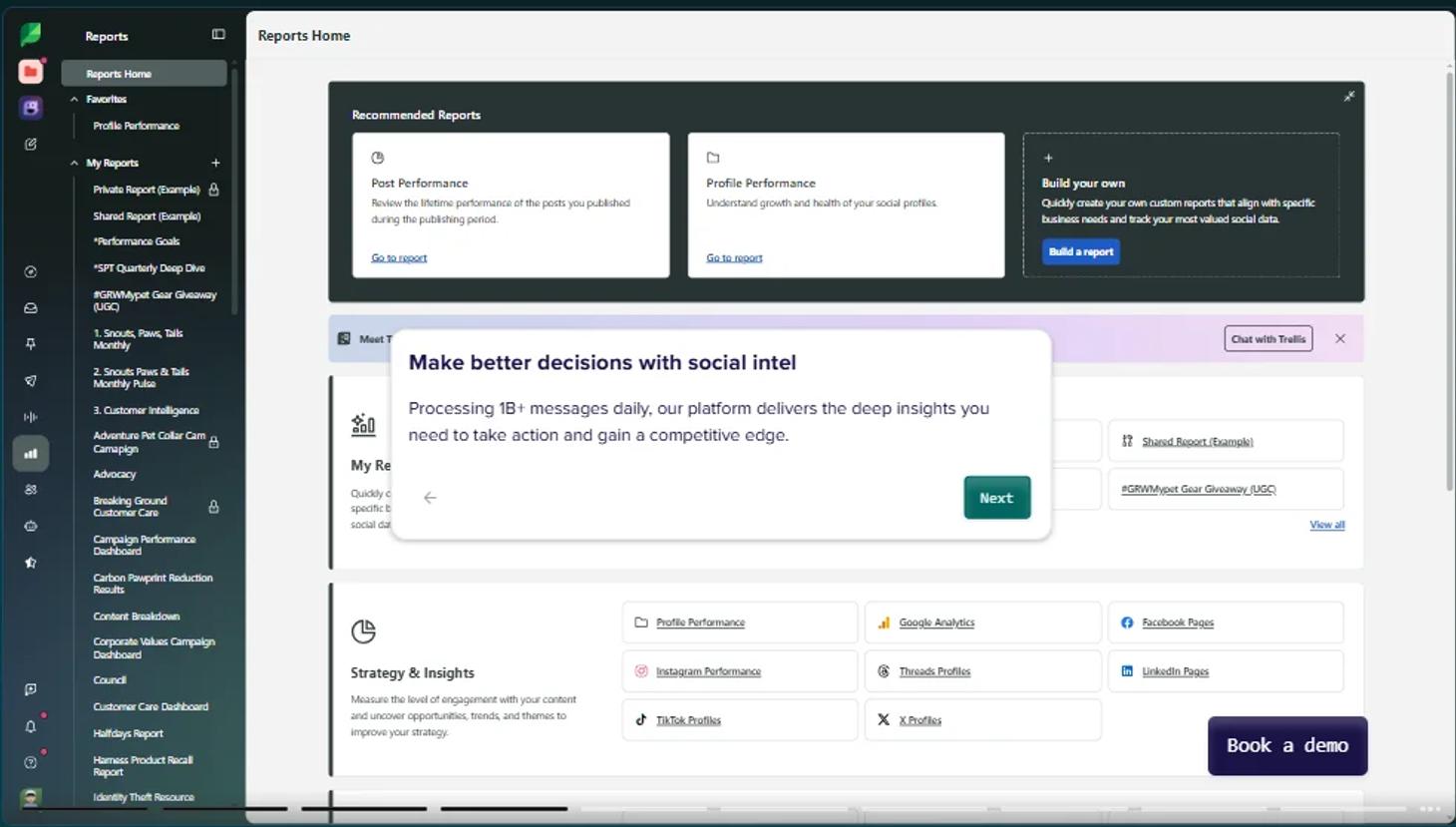
Sprout Social's reporting is built for the conversations that come after the campaign, in boardrooms and funder meetings. Dashboards export cleanly for a trustee meeting or board update.
Best features
- Presentation-ready reports for stakeholders
- Consolidated inbox with keyword and location monitoring
- Unlimited AI-generated alt text on every plan
Best for
Teams that need to prove impact to a manager, funder, or board.
Not ideal for
Anyone on a tight budget. The entry tier's $79 a seat on annual billing, $99 monthly, and the bigger plans are annual-only, per Sprout Social's pricing page.
Zoho Social - Best for: Budget-conscious small teams
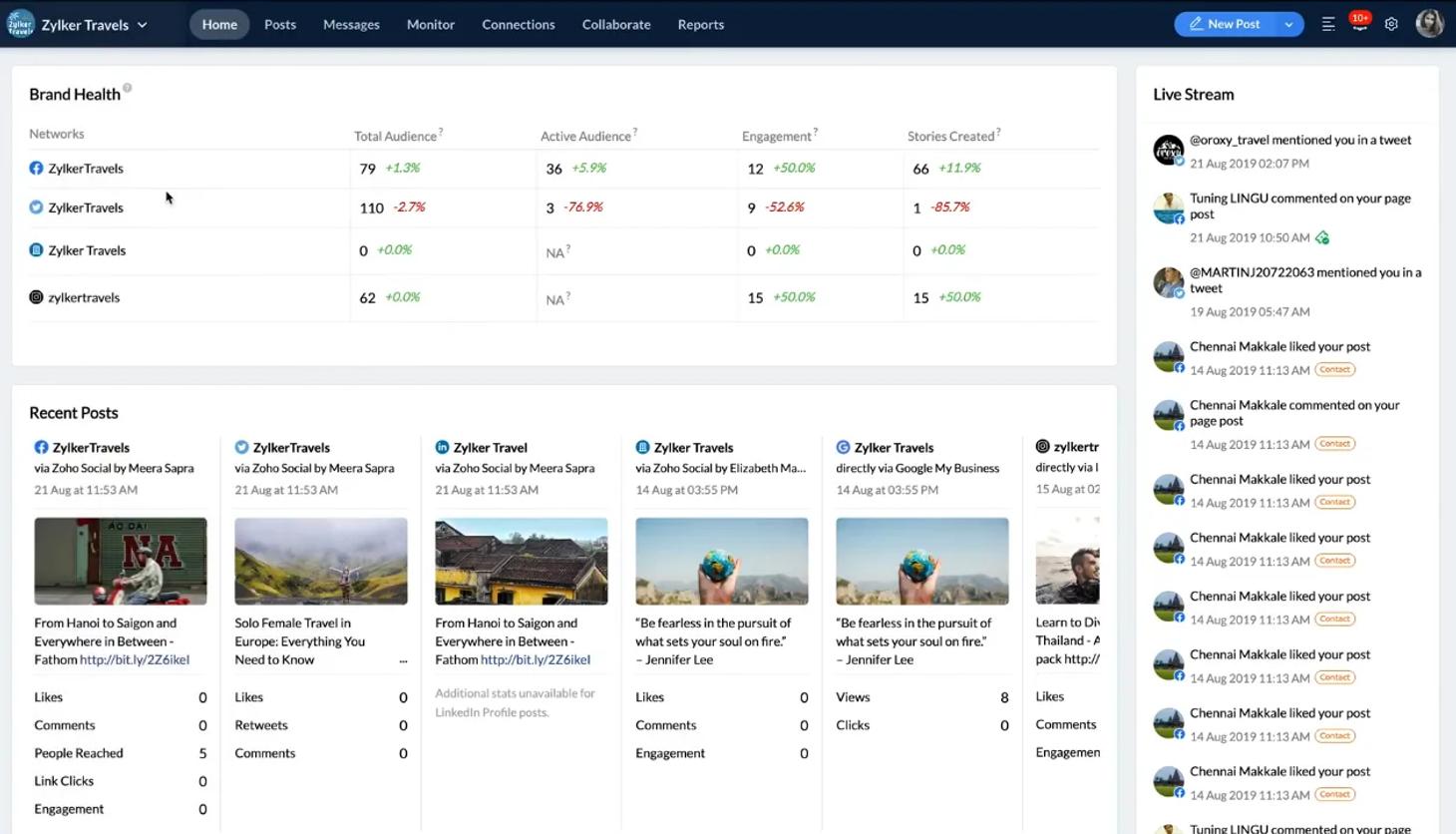
Zoho Social Zoho Social's pitch is affordability. It offers one of the cheapest paid tiers on this list, plus a genuine free plan on Zoho's pricing page.
Best features
- Free plan covers one brand, six channels
- Native integration with Zoho CRM and Zoho Desk
- Discounted pricing for registered nonprofits
Best for
Small teams and charities already on a tight budget, especially those already using other Zoho tools.
Not ideal for
Agencies running multiple client brands. Extra brands and seats add up fast outside the Zoho ecosystem.
SOCi - Best for: Multi-location and franchise brands
SOCi’s specialty is keeping hundreds of local pages consistent from a single dashboard. Built for franchises and multi-location brands.
Best features
- Bulk publishing across hundreds of local pages
- Automated review and reputation management by location
- Local SEO tools built into the same dashboard
Best for
Multi-location brands and franchises managing consistent messaging across dozens or hundreds of sites.
Not ideal for
Single-location businesses and small teams. Pricing is sales-led, with no published self-serve tier.
HeyOrca - Best for: Client approvals and team collaboration
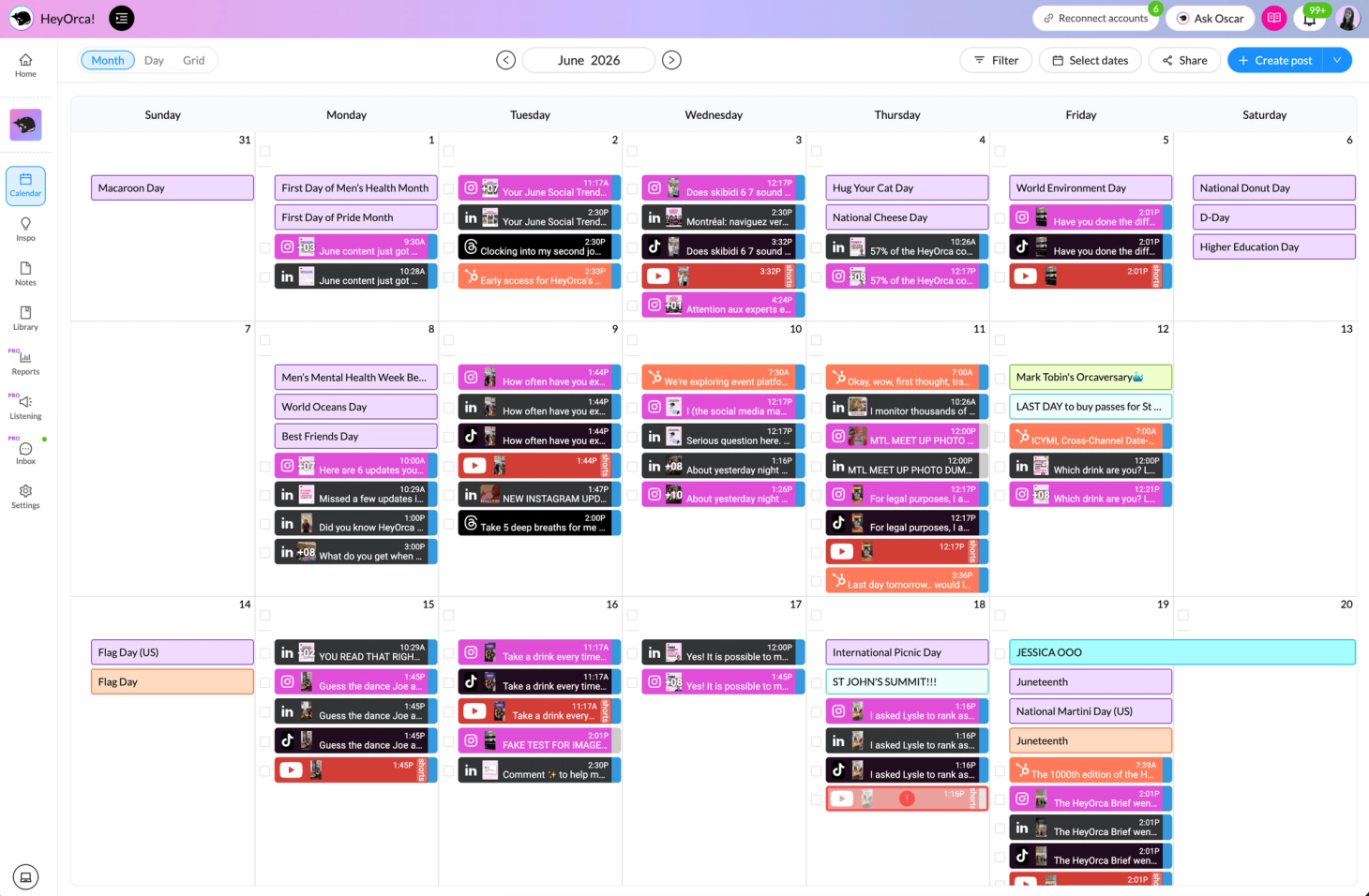
HeyOrca is built around the part of agency life everyone dreads: getting sign-off. Content planning, scheduling, client approvals and a shared calendar sit in one workspace, with a separate space per client so nothing bleeds across accounts.
The pricing model is the hook. Every paid plan carries unlimited users, so the schedulers, the approvers and the account leads all work in the same place without a per-seat charge.
Best features
- Unlimited users on every paid plan
- Client-friendly approval workflows with per-client workspaces
- Canva, Google Drive, Mailchimp and HubSpot integrations
Best for
Agencies and marketing teams that want smoother client sign-off and shared calendars, and would rather not count seats.
Not ideal for
Teams that need listening across the wider web. HeyOrca tracks mentions, sentiment and competitors on social, but monitoring conversations beyond social channels is not its strength.
Emplifi - Best for: Enterprise brands joining social, commerce and care
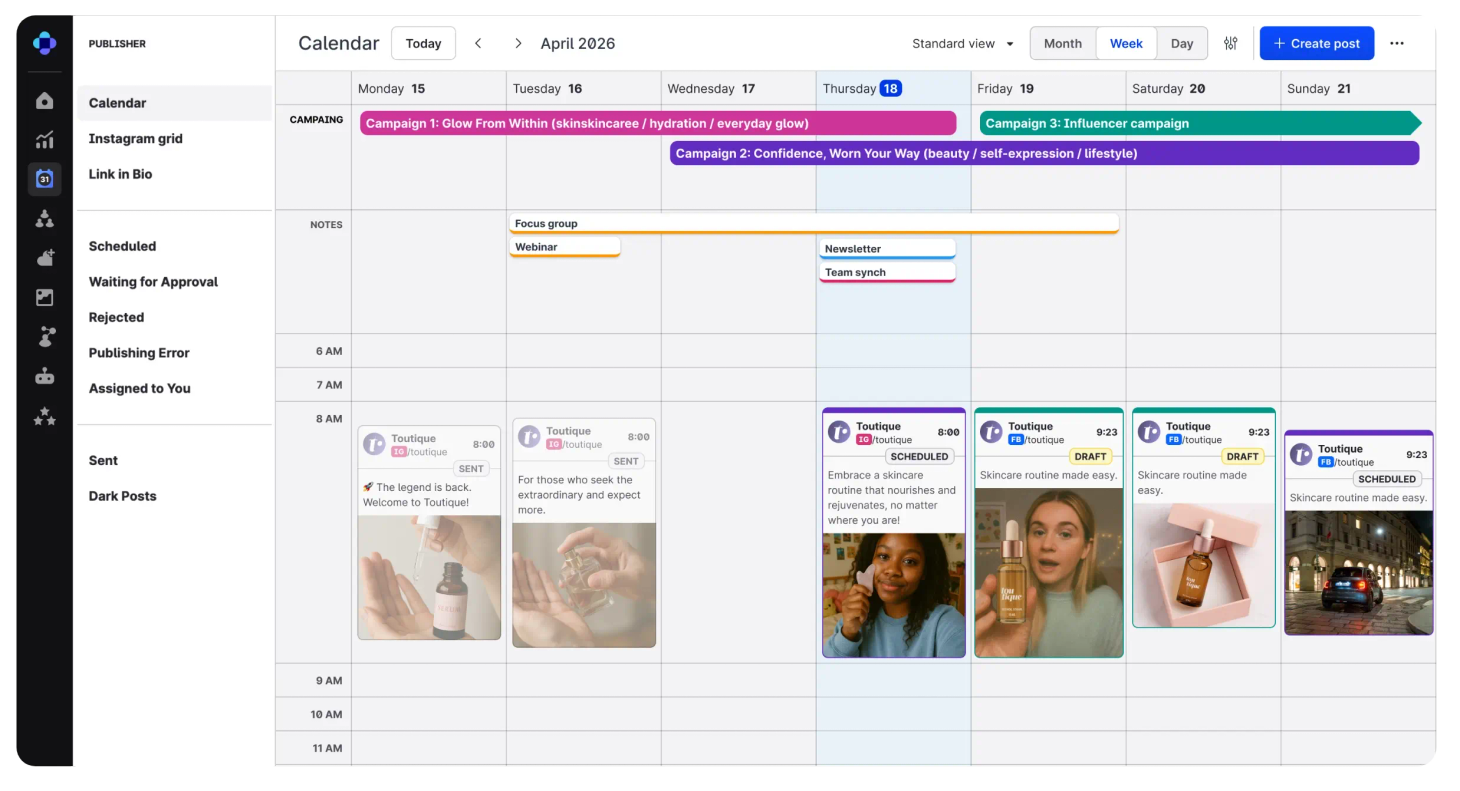
Emplifi plays a different game to most tools on this list. It ties social publishing, analytics, community management and customer care into one platform for large brands, more than 20,000 of them, with an AI layer it calls Fuel running across the workflow.
It was named a Leader in the 2026 Gartner Magic Quadrant for Social Media Management and Listening. For an enterprise buyer weighing a platform decision, that carries more weight than a feature list.
Best features
- Cross-channel analytics and competitive benchmarking on one of the larger social datasets
- Unified social inbox for community management and customer care
- Social commerce tools linking shoppable content and UGC to revenue
Best for
Mid-market to enterprise teams, particularly in retail, ecommerce and consumer goods, that want publishing, analytics, community management and care in one system rather than four.
Not ideal for
Small businesses and solo creators who need scheduling and posting and nothing more. Emplifi is built for scale and complexity across markets and brands, and it's priced for it.
Sked Social - Best for: Multi-brand approval workflows
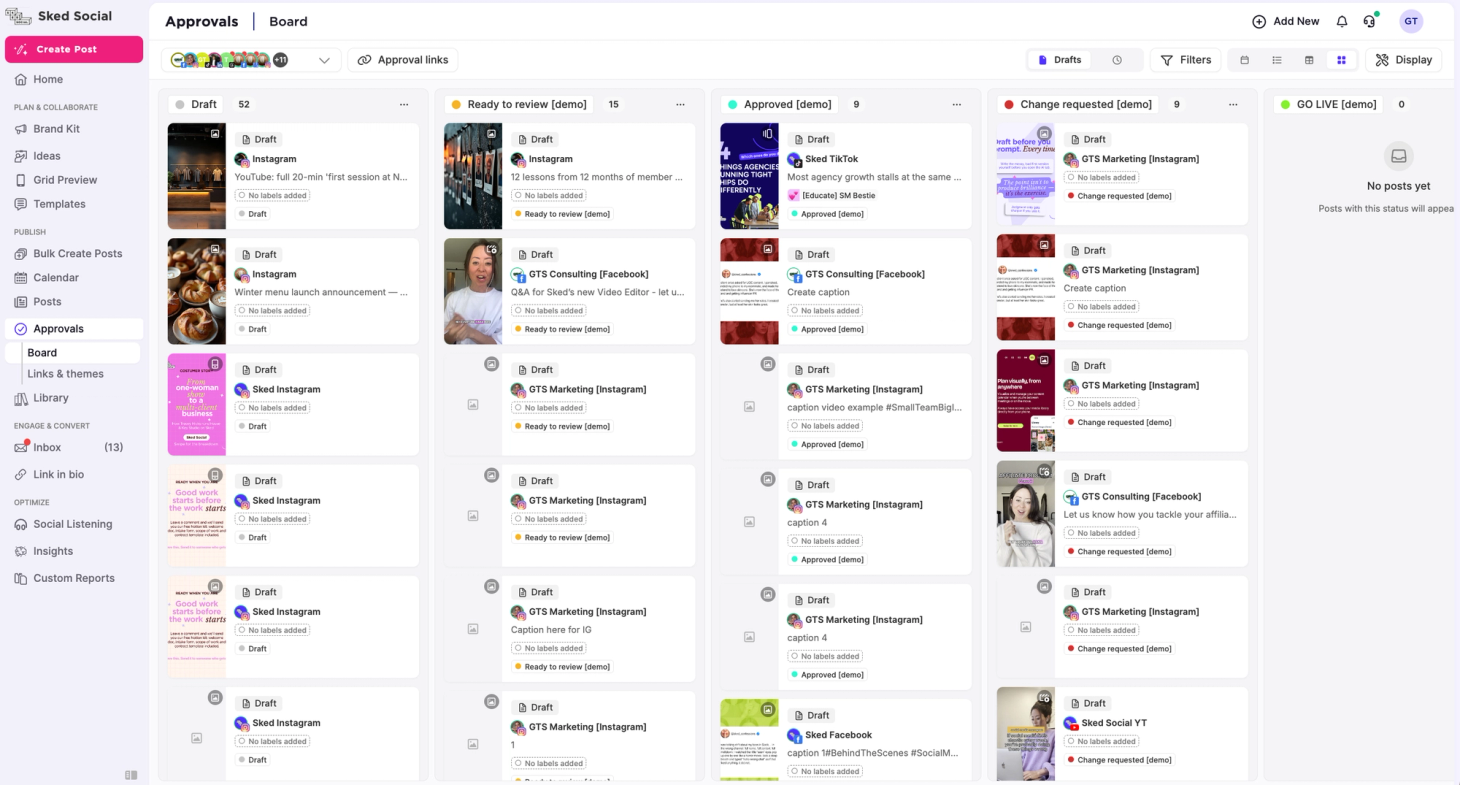
Sked Social is an Australian-founded platform for teams juggling several brands, locations or clients at once. Planning, scheduling, approvals and publishing run across the major networks, Meta including Threads, TikTok, LinkedIn, X, Pinterest and Google Business Profile, from one dashboard.
Approval chains are the backbone. Content moves through sign-off before it publishes, which is what keeps a multi-account operation consistent rather than chaotic.
Best features
- One dashboard for unlimited accounts across every major platform
- Built-in approval chains for brand consistency before publishing
- Smart scheduling based on audience engagement data
Best for
Agencies, multi-location businesses and brands with several product lines that need multi-user approvals and a presence across five or more channels.
Not ideal for
Freelancers and solo operators running a single account. It's also not the pick for teams needing deep social listening, influencer management or white-label reseller features.
Dash Social - Best for: Brand-specific insight and predictive analytics
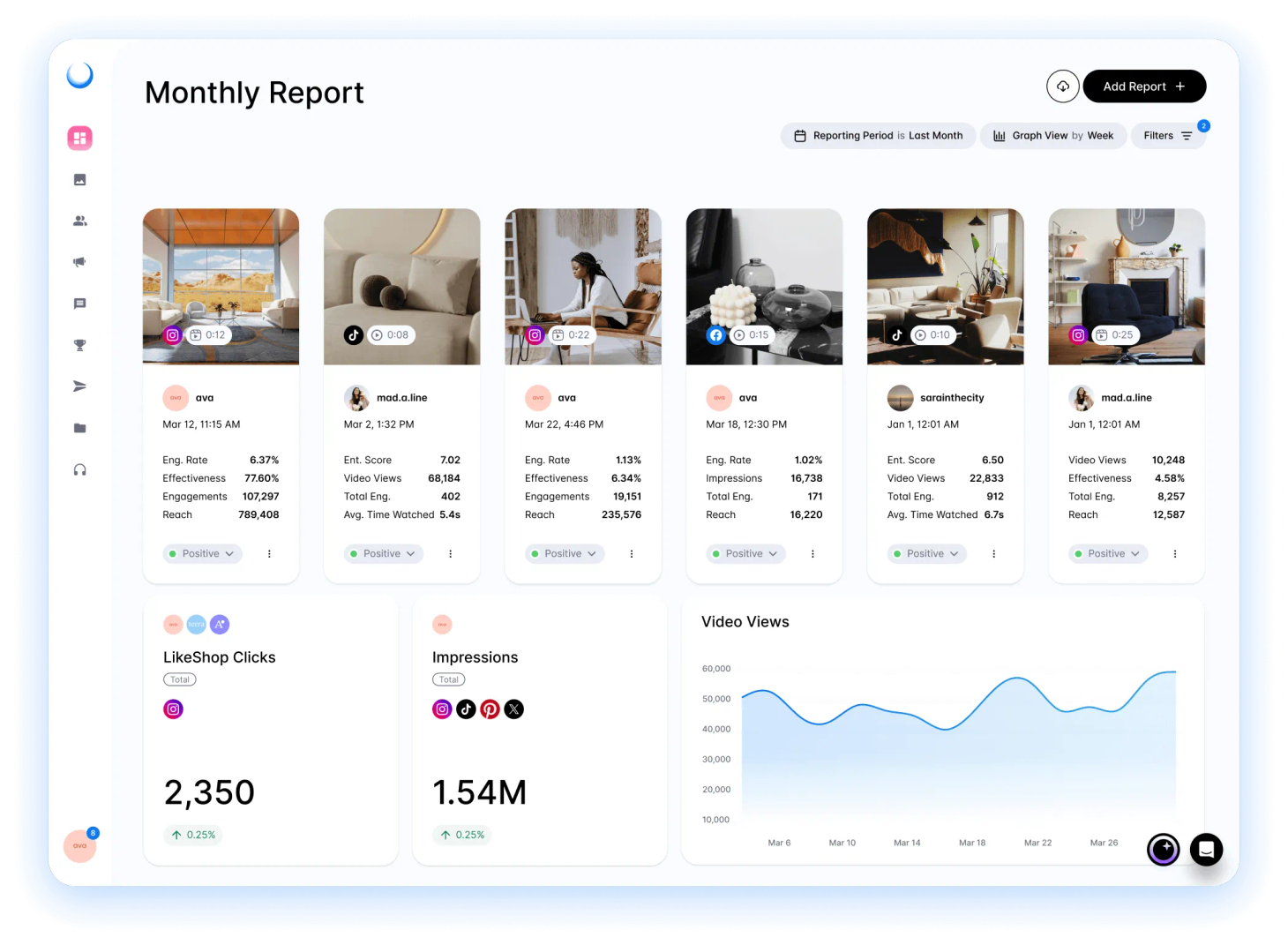
Dash Social, formerly Dash Hudson, is for social teams that want more from their data than a monthly recap. It pairs day-to-day scheduling with brand-specific AI, predictive content insight and competitive benchmarking, so the reporting points at what to do next rather than just what happened.
Pricing signals the audience. Plans start at $999 a month on Dash Social's pricing page, with unlimited users on every tier, so this is a tool for teams treating social as a strategic growth channel, not a side task.
Best features
- Brand-specific AI and predictive content insight
- Cross-channel reporting and competitive benchmarking
- Unlimited users on every plan
Best for
Growing, mid-market and enterprise social teams that want deeper insight sitting alongside their everyday scheduling and community work.
Not ideal for
Small businesses that only need to schedule posts. At $999 a month to start, Dash Social makes sense once social is a budgeted growth channel, not before.
Nuelink - Best for: Content-led teams automating the step before scheduling
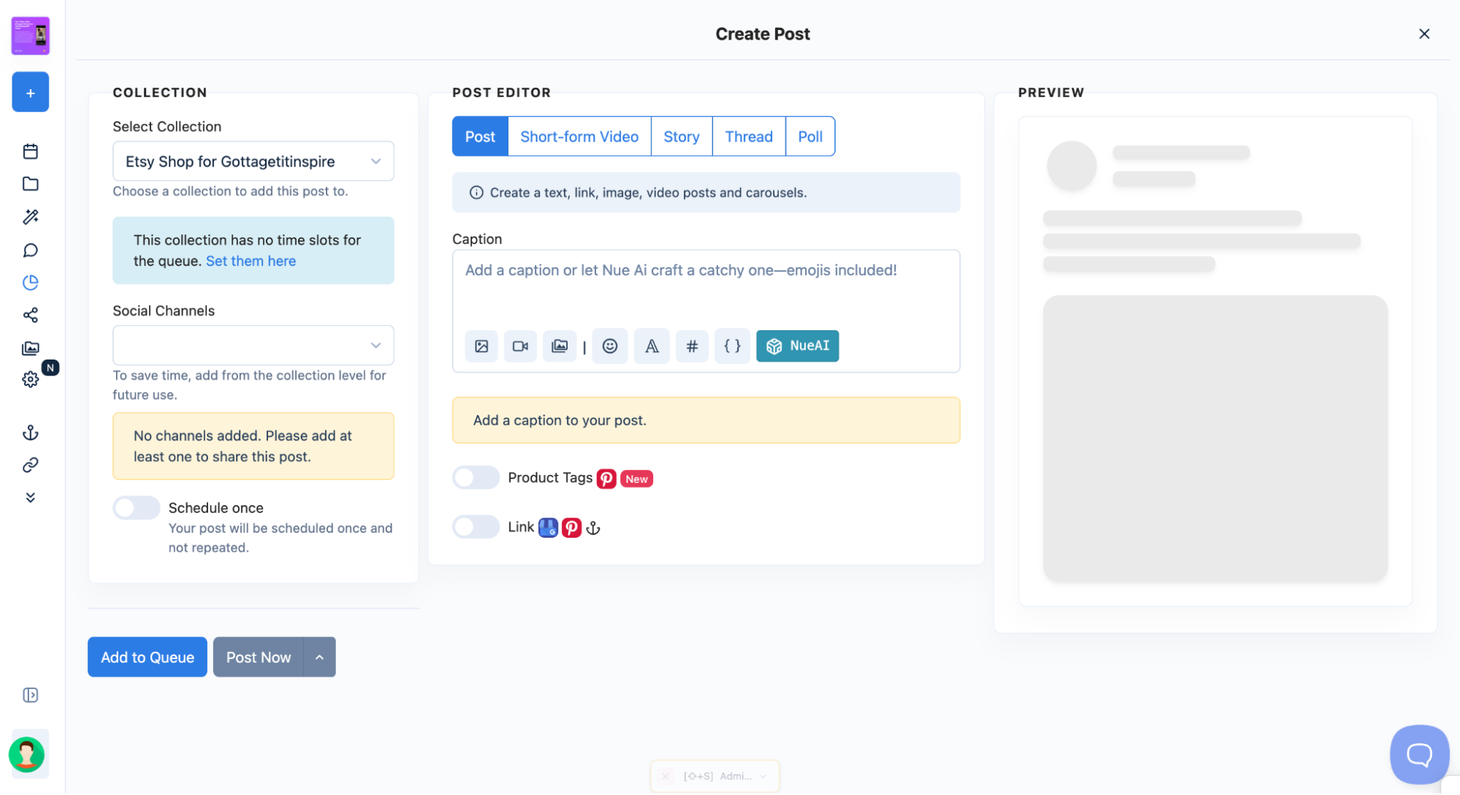
Nuelink automates the bit most tools leave to you. Connect a blog RSS feed, a YouTube channel, a Shopify store or a podcast, and new content turns into scheduled social posts on its own, which suits campaign sites and content-heavy charities publishing faster than anyone can promote by hand.
Paid plans start at $18 a month on Nuelink's pricing page, with channels, brands and seats bundled into each plan rather than charged per user.
Best features
- Source automations that post new articles, videos and episodes without manual scheduling
- Collections that recycle your best-performing posts on rotation
- Channels, brands and team seats bundled per plan
Best for
Teams whose social output follows a blog, campaign site or podcast, and small agencies wanting several brands on one flat plan.
Not ideal for
Teams that need listening or sentiment tracking. Nuelink handles publishing, not monitoring, and its entry tier is single-user.
SocialBee - Best for: Managing multiple social media accounts
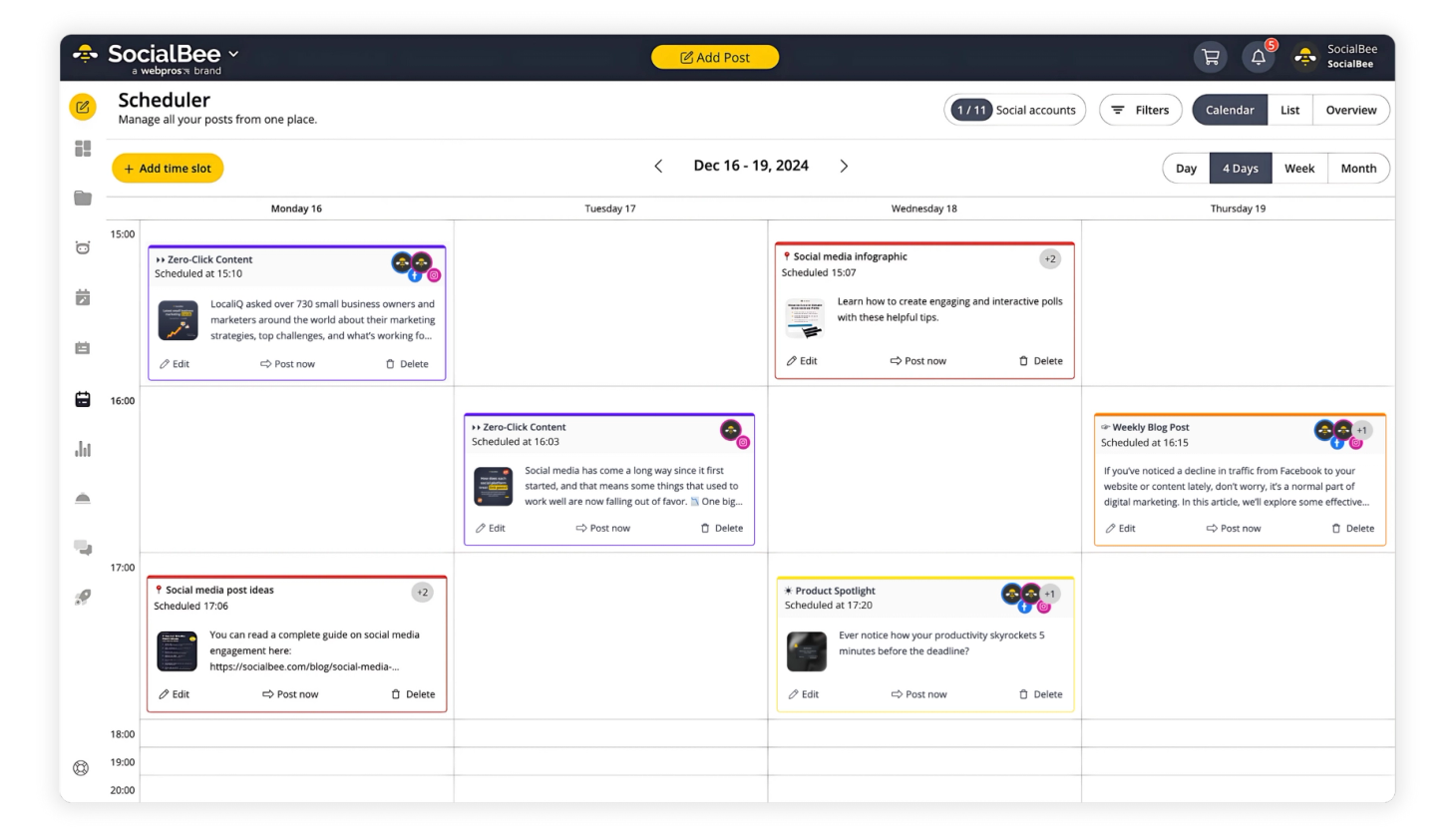
SocialBee is a social media management tool for creating, scheduling, and publishing content on Facebook, Instagram, Threads, X (Twitter), LinkedIn, Pinterest, Google Business Profile, TikTok, YouTube, and Bluesky. You can plan posts in a visual calendar, create content with AI, manage comments and messages from one inbox, track performance with analytics and reports, and collaborate with your team on content.
Best features
- AI tools that help you generate social media strategies, come up with post ideas, write captions, create images, and adapt posts for different platforms
- Best posting time suggestions based on your actual past performance, so you can schedule posts when your audience is most likely to engage
- Separate workspaces and post approvals that make it easier to manage different brands, get client feedback, and keep everyone on the same page
Best for
Social media managers, agencies, and small businesses that manage multiple accounts and want an affordable all-in-one solution.
Not ideal for
Large enterprises that also need tools for influencer campaigns and paid social media ads.
Pallyy - Best for: One visual calendar across every channel
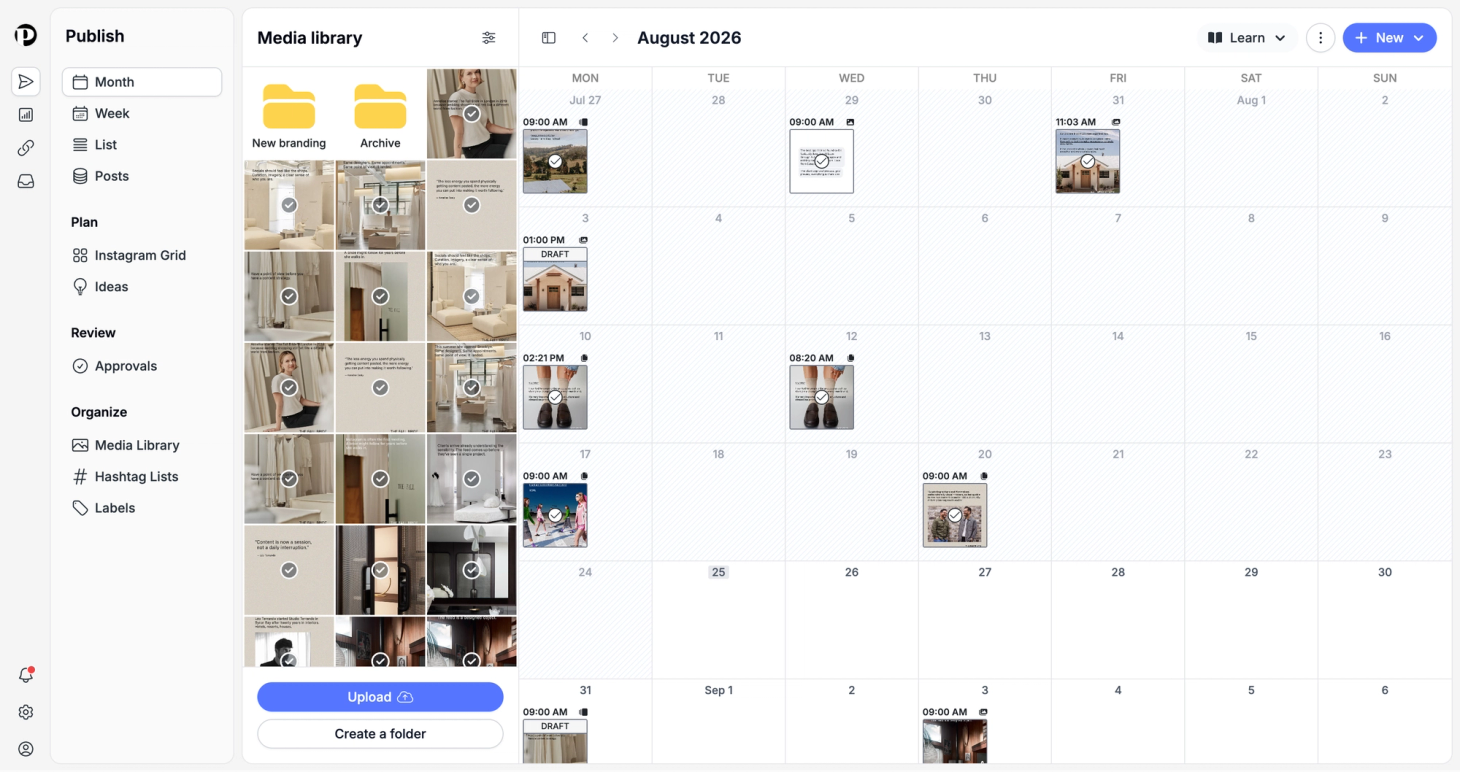
Pallyy runs planning, approving and publishing from a single visual calendar. It covers the full channel spread, Instagram, Facebook, LinkedIn, TikTok, Pinterest, Google Business Profile, YouTube, X, Threads and Bluesky, and folds in an inbox, analytics and a branded link-in-bio page under the same login.
Plans start at $15 a month, and eligible charities and nonprofits get 50% off, which puts it in the same budget-friendly bracket as Buffer and Zoho Social for cause-driven teams.
Best features
- Visual calendar scheduling every major network, including Reels, carousels and Stories
- Client approval flows with comments, so no more swapping screenshots
- Inbox, analytics and a branded link-in-bio page in one login
Best for
Agencies, brands and creators who want one calendar for every channel, plus approvals, without paying Hootsuite or Sprout prices.
Not ideal for
Teams that need deep social listening, or anyone managing hundreds of local franchise pages. Pallyy is built for brands and agencies, not multi-location enterprises.
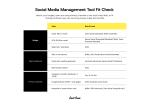
The Don't Panic Fit-Check: Budget, team size, channel mix
Five tools is too many to trial properly, so narrow the list first.
The Don't Panic fit-check takes three inputs into account:
- Budget. Under $50 a month lands you on Zoho Social's paid tier or Buffer Essentials for a handful of channels. Between $79 and $199 opens up Sprout Social's lower tiers, Buffer Team or Hootsuite Standard. SOCi is sales-led and budgeted in enterprise numbers.
- Team headcount. Solo or two-person: Buffer, Zoho Social, or Sprout Social Essentials. Small teams needing approvals: Hootsuite Advanced or Sprout Social Professional. Multi-location brands with dozens of storefronts to keep consistent: SOCi.
- Primary channels. The standard mix of Instagram, LinkedIn, Facebook, X and TikTok is covered by any of the five. Heavy reliance on Google Business Profile or local pages: SOCi, Hootsuite or Zoho Social handle those natively. Nonprofit or cause-driven work: Buffer's 50% discount and Zoho's nonprofit tier both matter to the bottom line.
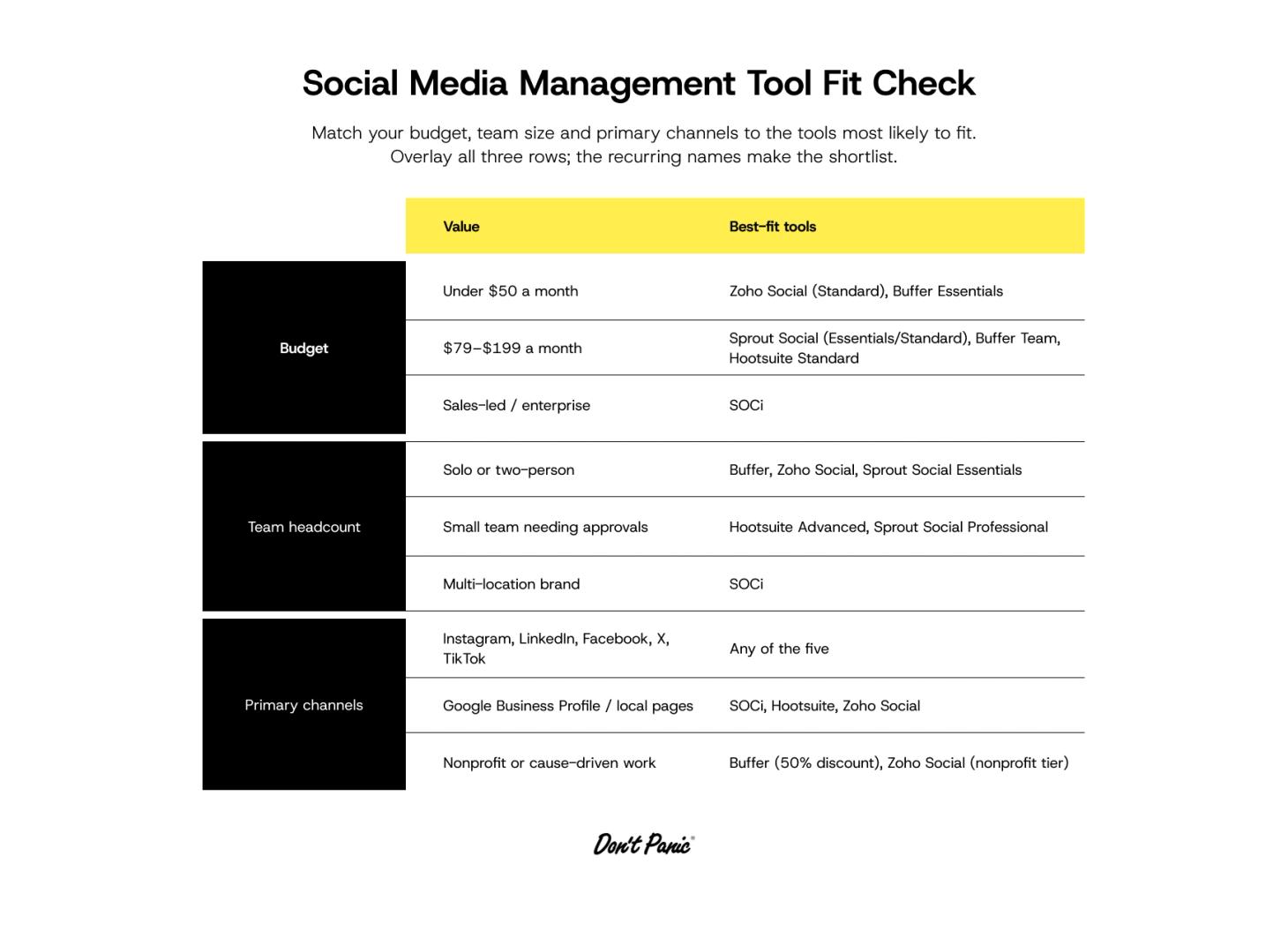
Overlay all three inputs and two or three names will keep appearing. Take only those into a trial under real conditions:
- Import your last month of actual posts.
- Add every team member who'll actually use the tool, from schedulers to approvers.
- Run one real report and see if it answers the question your manager asks.
- Check that a nonprofit or charity discount applies before you commit to a paid tier.
FAQs
What's the best social media management tool for charities and small teams?
Buffer and Zoho Social beat the bigger names on price, and Buffer's 50% nonprofit discount makes it the stronger pick if you qualify. Our charity marketing guide covers the wider strategy.
What tools do social media managers actually use day to day?
Most social managers run one core scheduler day-to-day (Buffer, Hootsuite or Sprout Social are the common choices), plus Canva or Figma for design and a shared Google or Notion doc for content planning. Agencies add a client-approval tool like Planable on top.
What's the best social media monitoring tool?
Monitoring is where Hootsuite and Sprout Social pull ahead of the cheaper tools here. Both track mentions, sentiment and keywords natively: Hootsuite goes broader on sources, Sprout on sentiment reporting.
Is Hootsuite worth it?
Hootsuite is worth it if you need listening and an inbox in one login. On a tight solo budget, Buffer or Zoho Social do the same core job for less.
Ready to shortlist?
Every tool here handles the basics. The difference shows up in what you do with the saved time.
If your next campaign needs more than a queue, Don't Panic builds purpose-led creative that garners attention.